MetaCPAN Dark Mode
MetaCPAN will be turning 16 in November and it now has dark mode.
This one was a long time coming. I’ve wanted to see dark mode on MetaCPAN.org for years, but I didn’t really have the time or inclination to do it. We were on a really old version of Bootstrap and a lot of messing around with CSS is not what sparks joy for me. Having said that, I got access to a free Claude 20x Max account (thanks, Anthropic!) and I was able to put it to work on the Bootstrap conversion and then the dark mode toggle. I have based it on GitHub’s theme and also done an accessibility audit for contrast, messed around with my own UAT, gotten some feedback and today we went live.
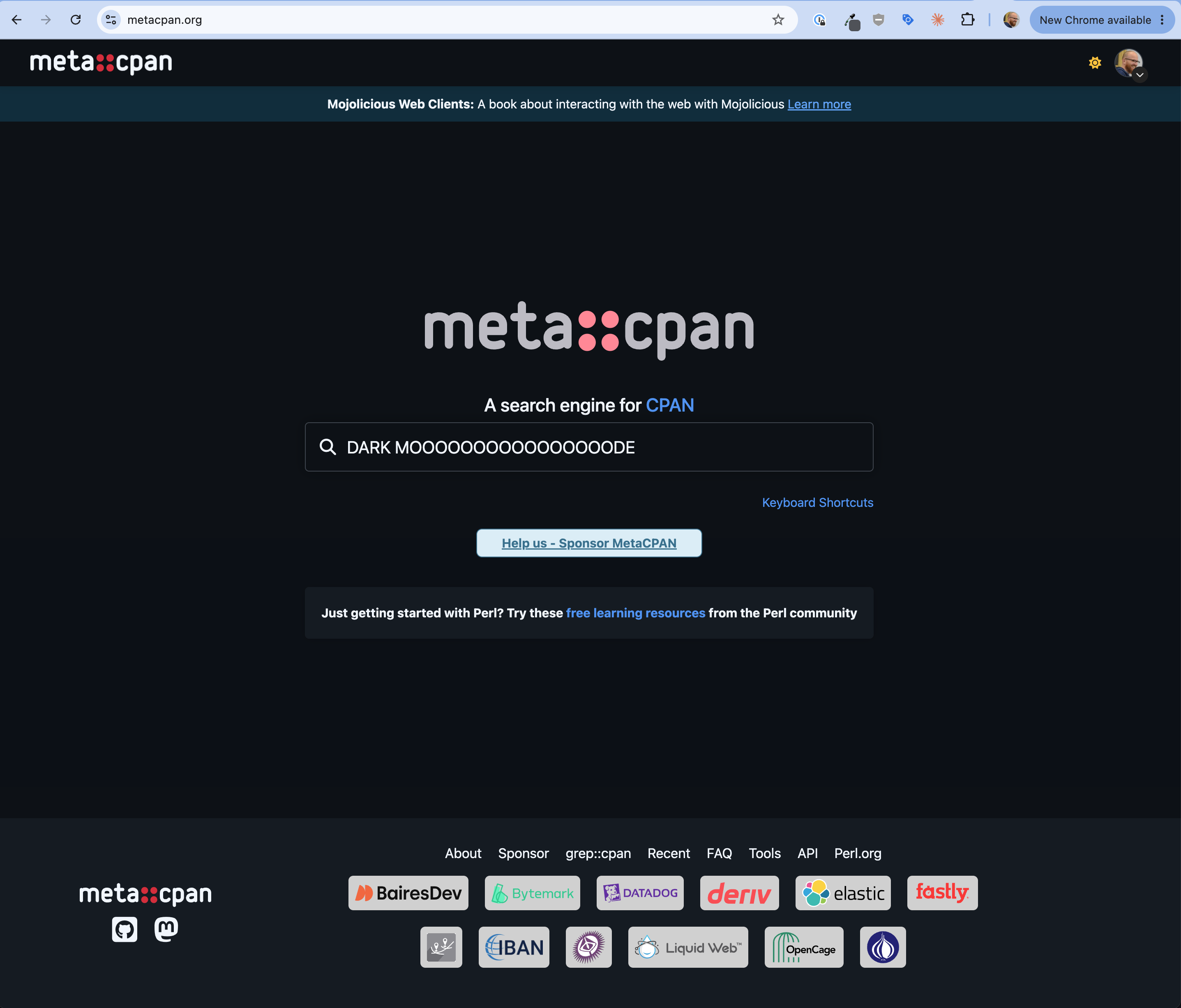
Initially I had announced this on the first morning of the 2026 Perl Toolchain Summit in Vienna. I had the hubris to claim boldly that I wanted to get it done over the weekend and probably sooner rather than later. It turns out, however, that I spent most of that weekend with CPANSec working on a pitch to get CPANSec funded by Alpha-Omega. Since that was ultimately successful, I think it was ok for dark mode to wait, but by today I was impatient enough to set it free, like a beautiful bird, to flap its wings and bring joy to all those people, who, like myself, prefer a darker screen.
I should add that I never really cared for dark mode until I got a head injury. At that point I really cared a lot about dark mode, because it allowed me more time at my monitor without head pain. Those days are behind me, but I’m still sold on dark mode, so here goes nothing. If there are things you’d like to see changed, open an issue at metacpan/metacpan-web and we can figure it out there.
You will not see the dark mode toggle on every page just yet. I haven’t purged the front end of MetaCPAN, so you’ll see dark mode across the site as the Fastly cache (thanks, Fastly!) refreshes organically.